Approve & Archive
Approval
In the approval phase, user-friendliness works in the same way as under the "Create invoice" section. The structure of the invoice or credit memo is the same, but you can no longer change the original details of the draft. There are two possible actions for the approver:
-
Approve invoice/credit memo: Once the invoice or credit memo is approved, it will be sent to the customer and posted in the system.
-
Reject invoice/credit memo: If the invoice or credit memo is incorrect, it can be rejected, and then returned to the user's drafts. The user can then correct the errors and resubmit the invoice for approval.
The approval process ensures that you only send accurate and error-free invoices and credit memos to customers, which can contribute to efficiency and maintaining a positive customer relationship.
The approval process
In this phase, no drafts, templates, or changes to templates have been made before they're approved. Once the approval is complete, the changes will be executed and they will then be visible in the archive.

How to approve an invoice
-
Click Sales invoice, and then click Approval.
-
Select the filter you want.
-
Review the details and click the Approve button (the green one).
How to reject an invoice
-
Click Sales invoice, and then click Approval.
-
Select the filter you want.
-
Review the details and click on the Reject button (the red one).
-
Enter a comment and click the Confirm button (the green one).
Table Summary Filtering
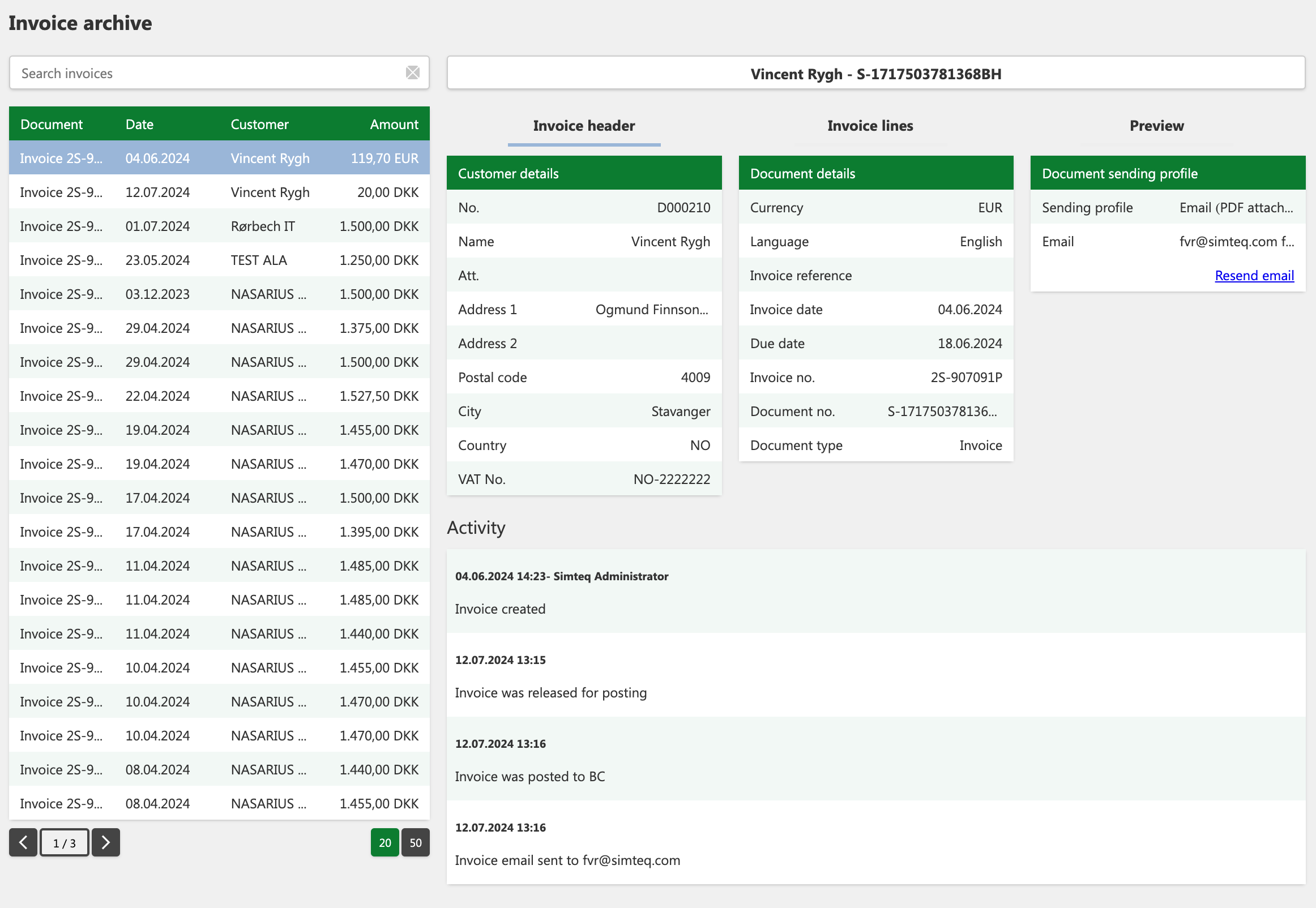
The primary difference is that you can filter in the table, which allows you to distinguish between invoices and credit memos that require approval, as well as invoice templates or changes to existing invoice templates. This feature improves the overview and makes it easier to identify which elements need to be approved.
Filtering options include:
-
Invoices and credit memos
-
Invoice templates
-
Changes to invoice templates
The number in the box shows the number of items waiting for approval.
Invoice archive
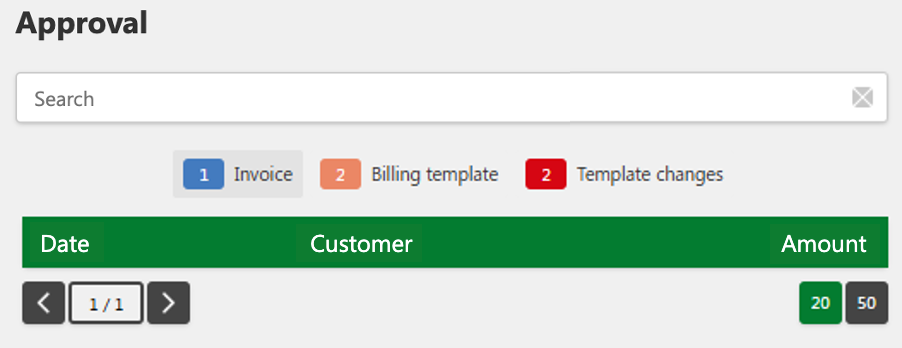
In this stage, the sales invoices and credit memos has been approved and processed. You will now be able to find all the posted invoices, including both regular invoices and credit memos, as well as approved invoice templates and changes to these.
The structure from "Create invoice" is displayed in the same way in Archive, but without the buttons in the top right. Depending on whether you select an invoice, credit memo, or invoice template, the page will automatically adapt to the selected document type by changing the headings and document type.
The resend email button allows you to have the invoice sent to the email address provided.